Writlyz

Home › Timeline

Timeline

Build the timeline of your novel

Chronology mistakes are among the things that bother attentive readers most. A pregnancy that lasts fourteen months, a character in two cities on the same day, a winter that never ends. They usually slip in because the author keeps the dates in their head.

Start free

Free plan forever · No card · Ready in a minute

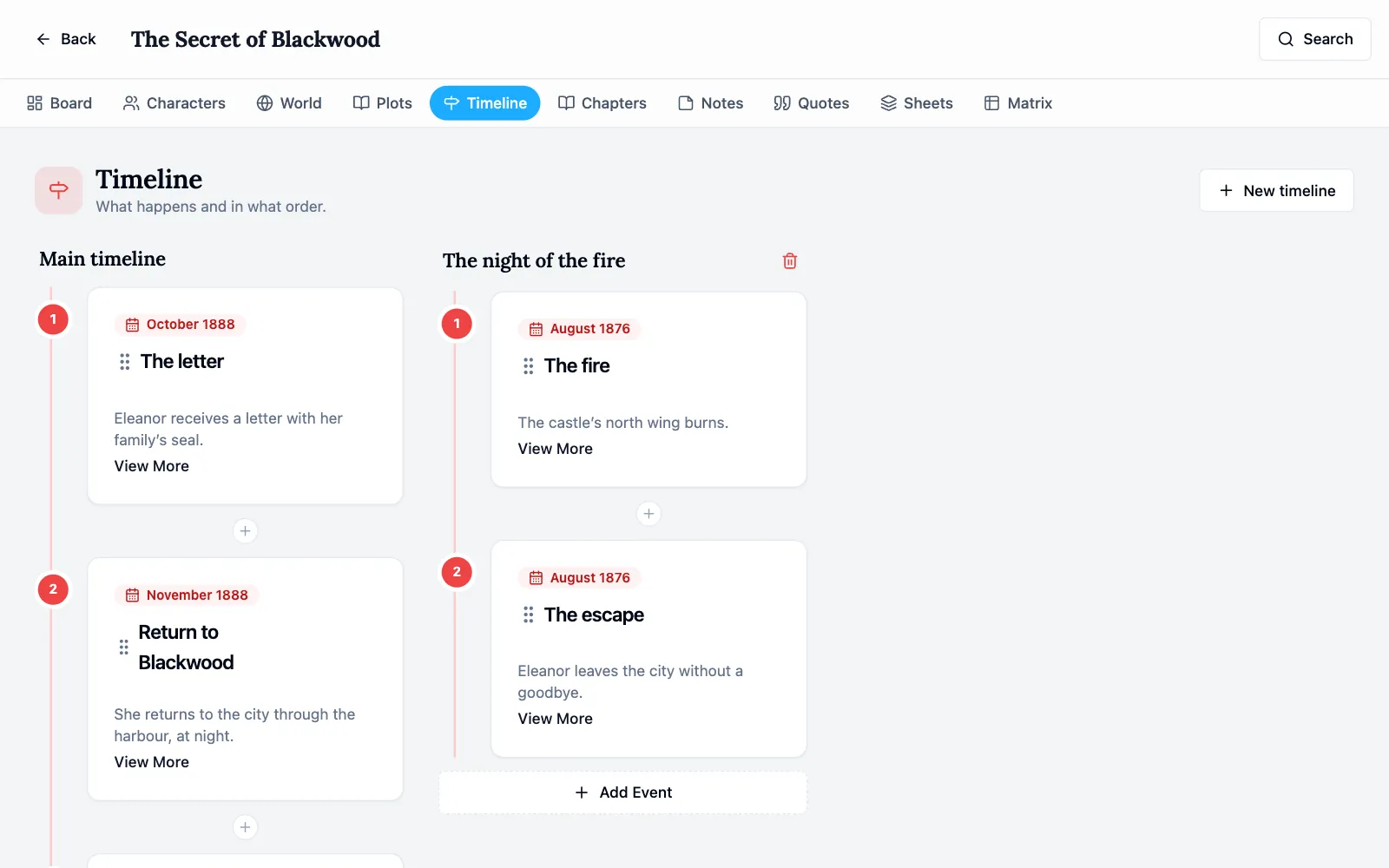
Timeline of a novel in Writlyz with events and dates

A timeline takes them out of there and puts them in plain sight. In Writlyz it is part of the project, alongside your characters, chapters and world, so it is not a separate document you have to remember to update.

Every event in its place

You add the events of your story with a date and a description, and place them in the order they happen. Each one can record the main events, the key scenes and how it affects the characters.

Seeing the story laid out in time reveals what the manuscript hides: weeks where nothing happens, days where too much does, or a journey that cannot be made in the time you wrote.

Several timelines at once

Many novels tell more than one story. Two eras that alternate, several points of view in different places, or a past that explains the present. For that you can create several timelines inside the same project.

Comparing them helps you line up the encounters: you know what each character is doing while the other crosses the border, and whether they can really meet in the scene you have in mind.

In fantasy and science fiction it is also useful for keeping the ancient history of the world apart from the events of the novel.

Try it with your own novel

Create your project in under a minute and start sorting out characters, plots and chapters. Free, with no card.

Start free

Chronology and structure are not the same

The order in which things happen is not always the order in which you tell them. A thriller can open with the crime and reconstruct it afterwards, and a family saga can jump between generations.

That is why Writlyz keeps the timeline separate from the structure of acts, chapters and scenes. One shows what happened and when. The other is where you decide when the reader finds out.

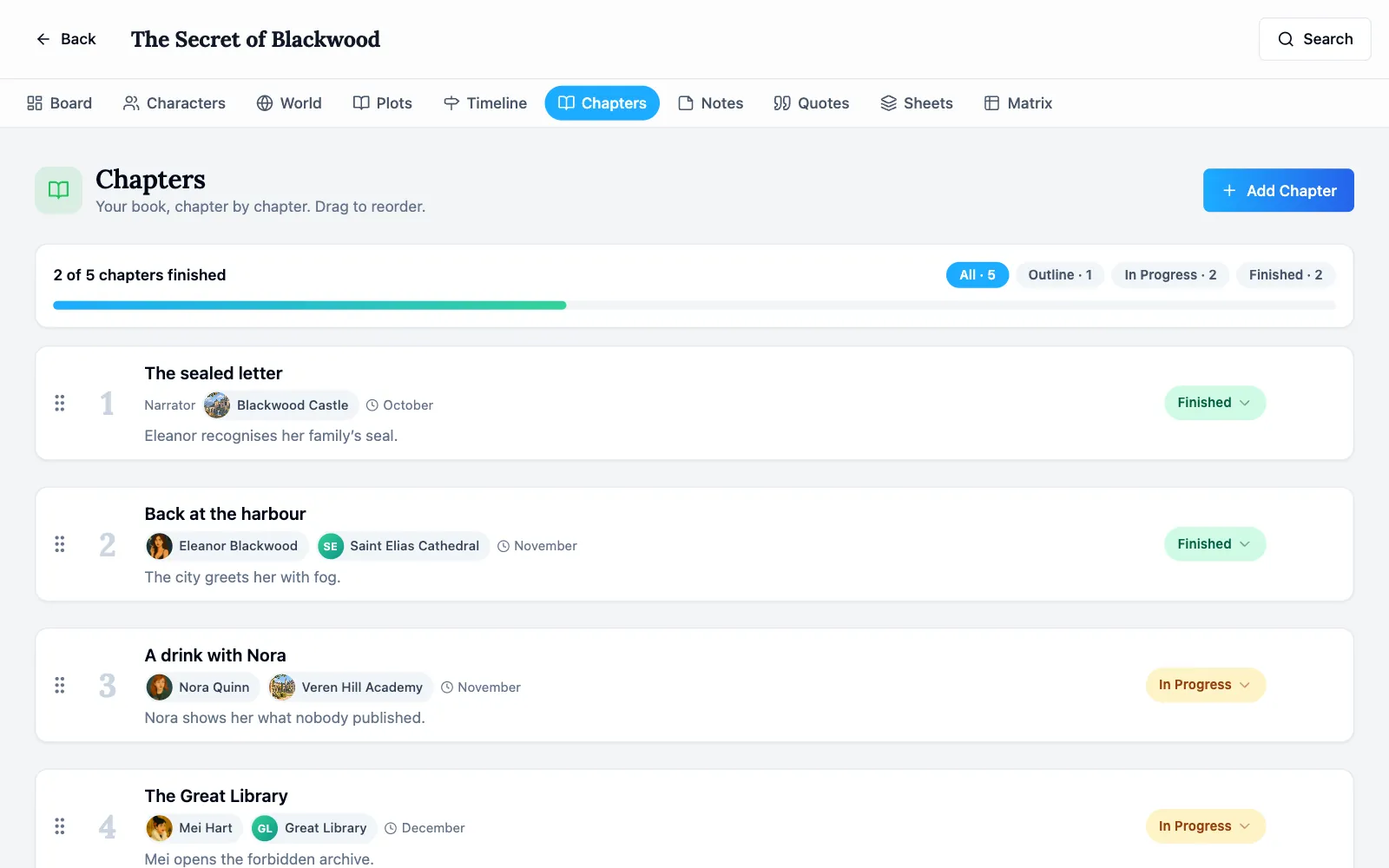
Chapters and structure of a novel in Writlyz

Connected to the rest of your novel

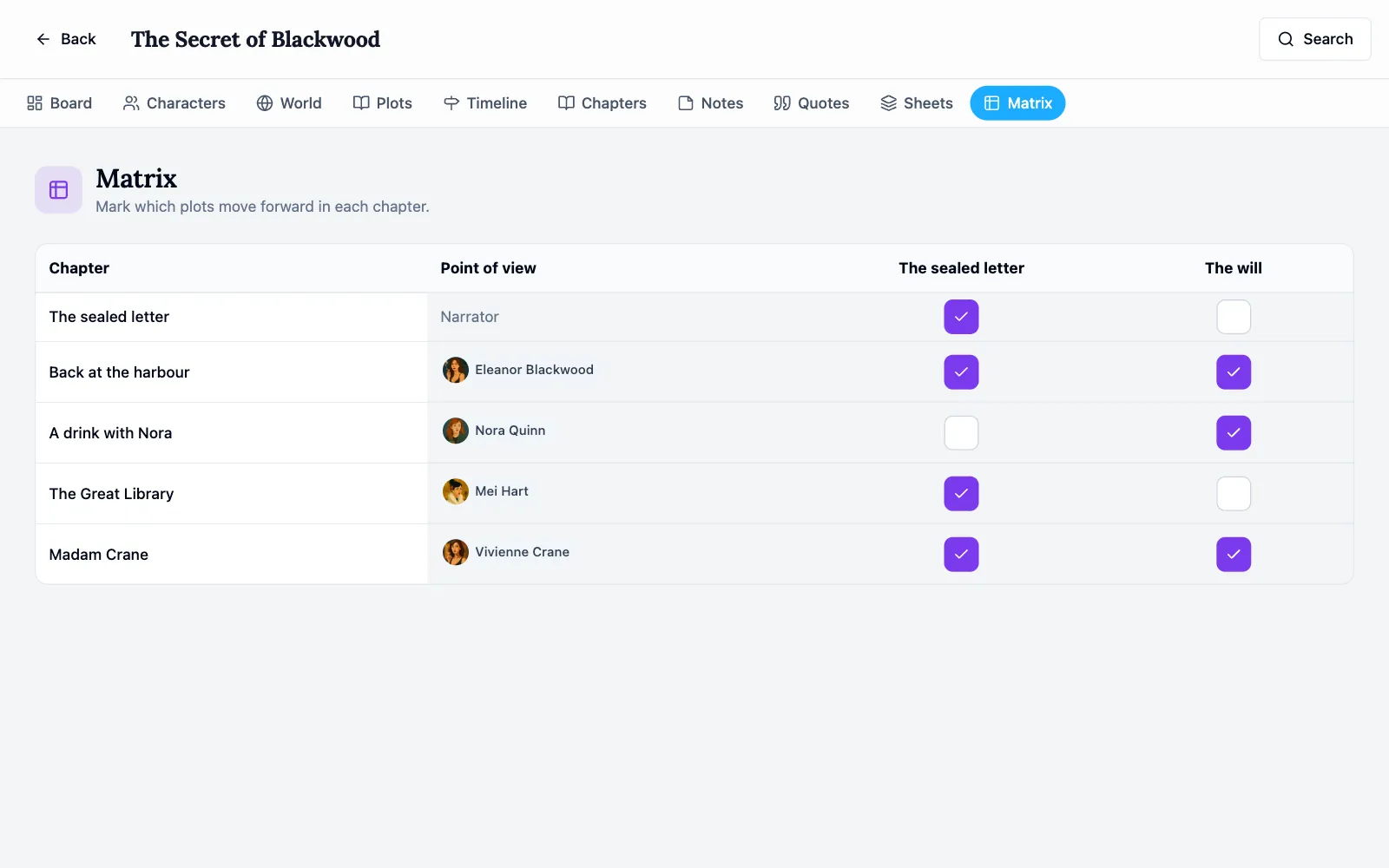
The timeline sits beside your character profiles, places and plots. The story matrix shows which plots move forward in each chapter, and each character's evolution records when they change.

Between the three tools you have the whole novel in view. If you move a chapter or change a date, it is easy to check what else is affected.

Try Writlyz free

Story matrix in Writlyz

Character evolution, the story matrix, genre templates, series, the map creator and editing relationships are part of the Pro plan, which you can try for seven days with no card. Everything else is on the Free plan, within its limits.

Frequently asked questions

What is a timeline for in a novel?

To check that the story is possible: that journeys fit in the time you give them, that ages add up and that no character is in two places at once. It also helps you pace the book.

Is the timeline on the Free plan?

Yes. You can build the timeline of your project on the Free plan, with no card and no time limit.

Does it work for a multi-book series?

Yes. With several timelines you can keep the chronology of each book and of the world as a whole. On the Pro plan, series also share characters and places between projects.

Does it work for scripts?

Yes. Script projects have their own sections, with acts, scenes and locations, and can use the timeline too.

Your whole novel on one board

Stop digging through loose notes. Start today on the Free plan, which lasts forever, and move to Pro only if you need it.

Try Writlyz free

Everything you can do with Writlyz

More tips for your novel

Organize your novel for free