Writlyz

Home › Map creator

Map creator

A fantasy map maker built for your novel

Almost every great fantasy novel opens with a map. It is not decoration. It forces the author to decide where the borders lie, how long a journey takes and why two kingdoms have been at odds for centuries. And it promises the reader a world worth exploring.

Start free

Free plan forever · No card · Ready in a minute

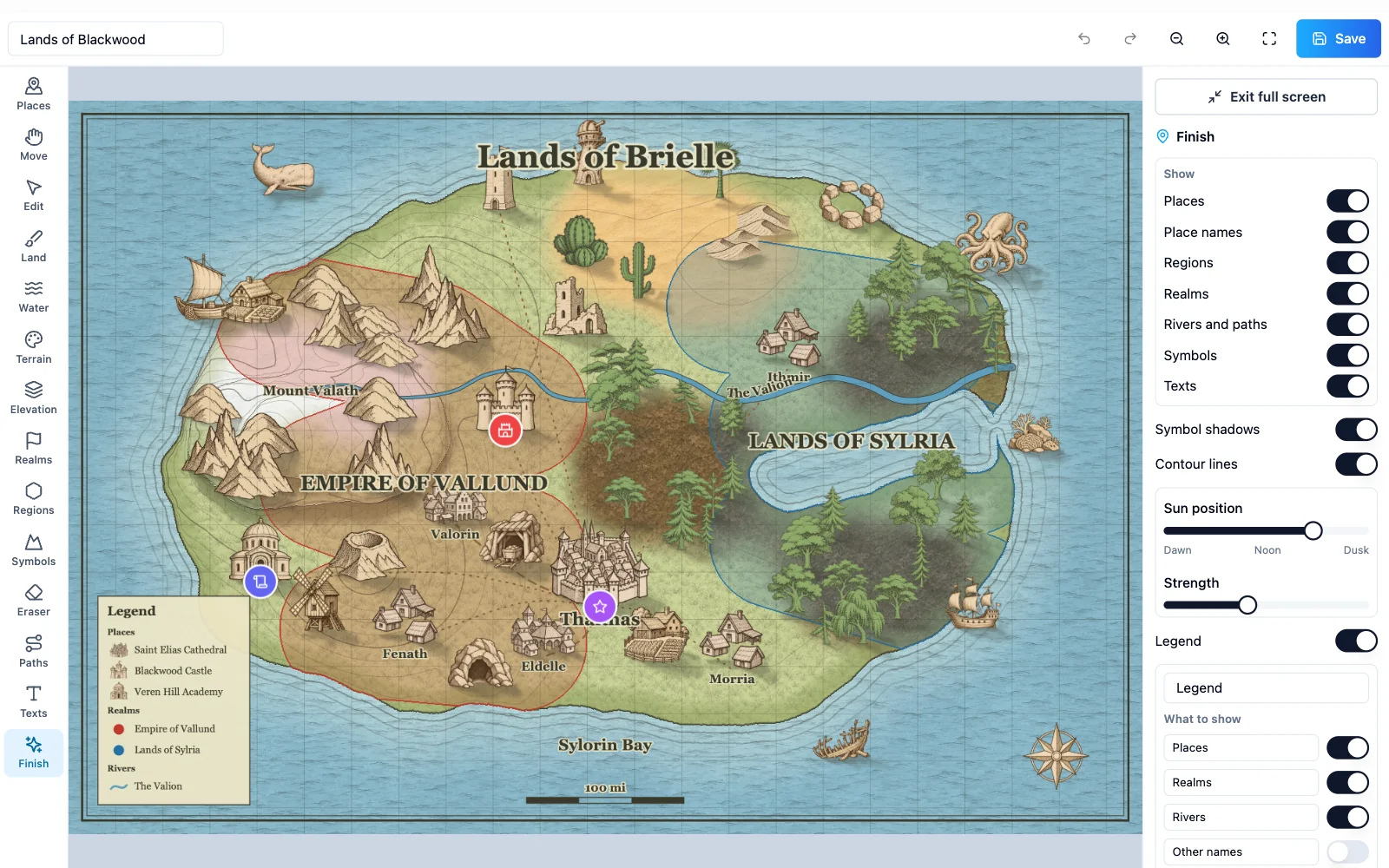
Writlyz fantasy map maker with continents, realms and symbols

Writlyz includes a fantasy map maker built for writers. You do not need to know how to draw, and the map stays tied to the places, characters and chronology of your story.

From blank page to continent

Start by painting land and sea with your finger or mouse. Then add biomes such as forests, deserts, tundra or swamps, and give the terrain shape with mountains and valleys. The map is drawn in an illustrated style, like the endpapers of a book.

If you want a head start, generate a random world and change it to taste. It is a good way to find coastlines and mountain ranges you would never have thought of.

Rivers, roads and realms

Trace rivers from the mountains to the sea and the roads that join your cities. Routes are more than decoration: they tell you which way your characters will travel and what they will meet along the way.

Mark out realms and regions with their own color and name, and place symbols for cities, castles, ports, ruins or forests. When you are done, choose the map style and frame to give it a finished look.

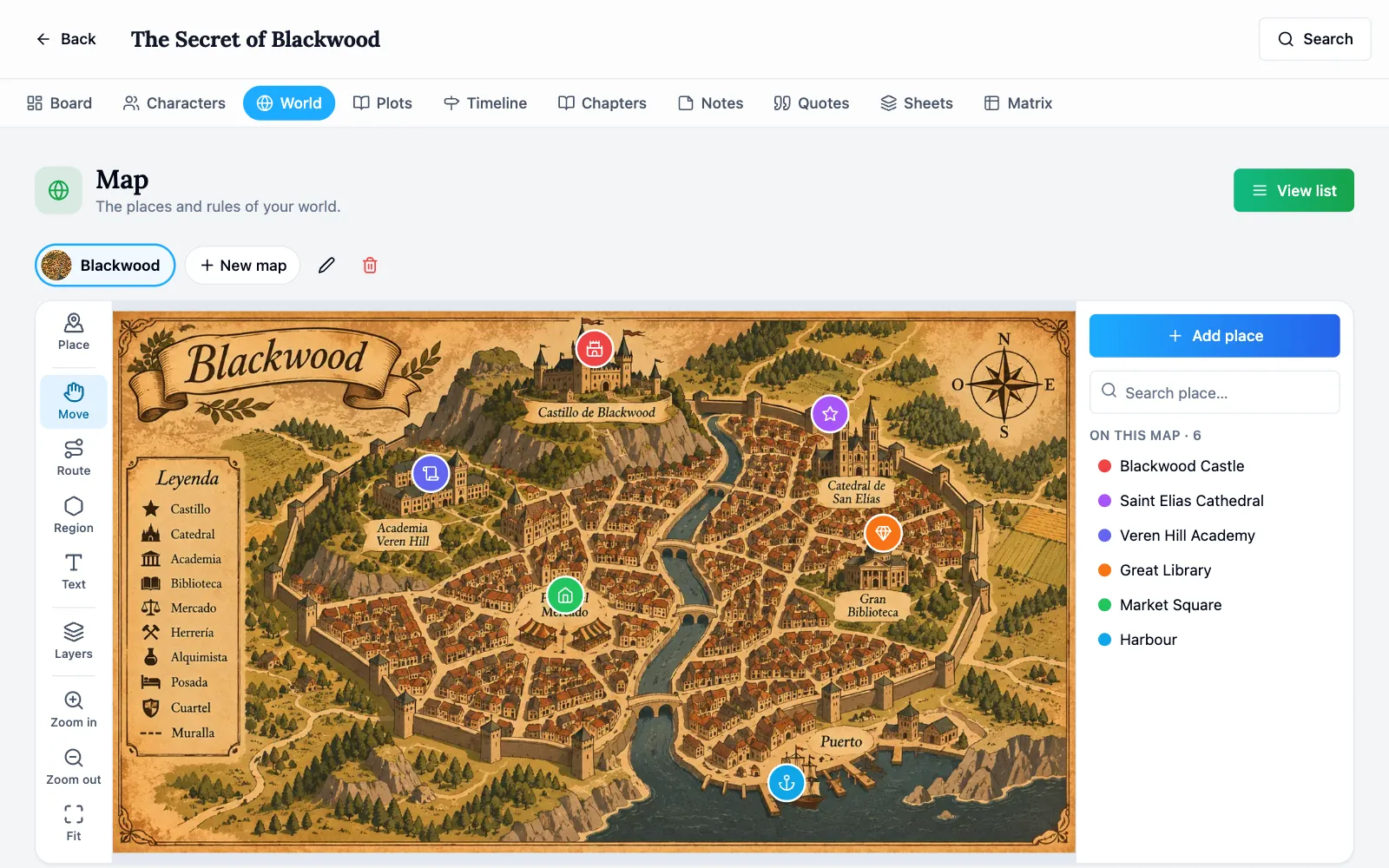
Map of a novel with routes, regions and places in Writlyz

Try it with your own novel

Create your project in under a minute and start sorting out characters, plots and chapters. Free, with no card.

Start free

A map connected to your story

The difference from a drawing program is that here every point on the map is a place in your novel. Tap a city and its entry opens, with its description, culture and history.

That turns the map into a working tool. While you write a journey you can check what lies between the start and the destination, and whether the trip you described makes sense.

You can also upload a map you already have, hand-drawn or made with another tool, and use it the same way: with pins, routes, regions and labels.

Ready for your book

When the map is finished you can download it as an image. Use it in your book, show it on social media or hand it to your beta readers so they can find their way.

Because it is part of your project, it stays alive: if a new city appears in book two, you add it and the map grows with the saga.

Try Writlyz free

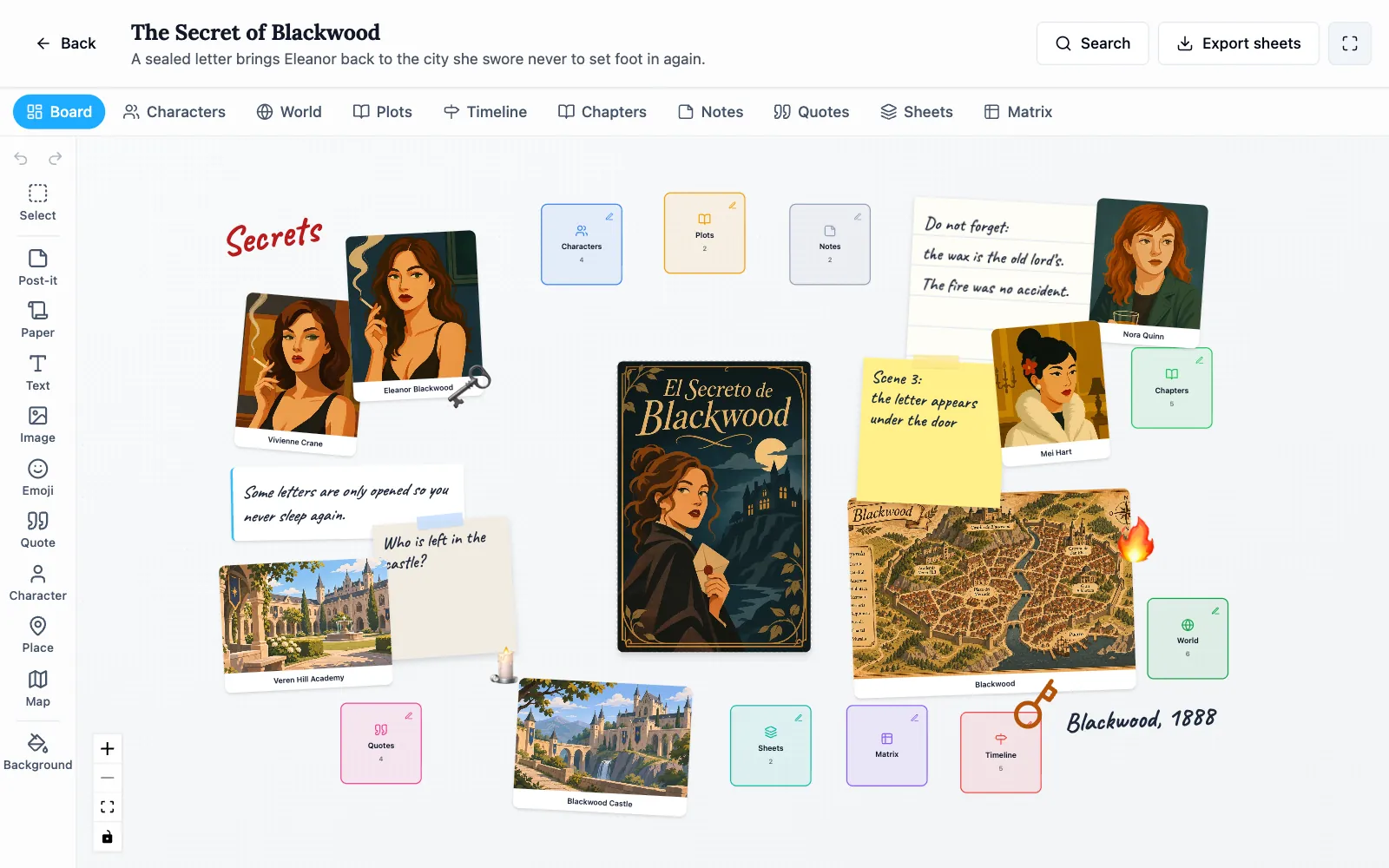
Board of a fantasy novel in Writlyz

Character evolution, the story matrix, genre templates, series, the map creator and editing relationships are part of the Pro plan, which you can try for seven days with no card. Everything else is on the Free plan, within its limits.

Frequently asked questions

Do I need to know how to draw?

No. You paint areas of land and water, choose biomes and place ready-made illustrated symbols. The creator takes care of the style.

Is the map maker free?

Creating maps from scratch is included in the Pro plan, which costs €5.99 a month or €59.90 a year and can be tried for seven days with no card. On the Free plan you can upload your own map and place up to 10 locations.

Can I use the map in a published book?

Yes. The maps you create are yours and you can download them as an image to use in your novel.

Does it work on a tablet?

Yes. You can draw with a finger or a stylus on a tablet, pinch to zoom and pick it up later on your computer.

Your whole novel on one board

Stop digging through loose notes. Start today on the Free plan, which lasts forever, and move to Pro only if you need it.

Try Writlyz free

Everything you can do with Writlyz

More tips for your novel

Organize your novel for free